
Last updated: October 2026
Quick Summary
An SEO checklist is a list of the technical, on-page, content and off-page tasks a website needs to rank in search. Working through it in order stops the most common SEO failure: doing 90% of the work and missing the one item that blocks the rest.
- Start with indexing. An unindexed page cannot rank at all, no matter how good it is.
- The fastest win is Search Console. Find keywords sitting at positions 11 to 20 and improve those pages first.
- Ranking and being cited are now separate. AI Overviews cut position-one click-through rate by 58%, so you have to optimise for citation as well as position.
- Most results take 3 to 6 months. Improving existing pages moves fastest, sometimes within three weeks.
- Consistency beats cleverness. Every result on this page came from working a list like this one, month after month.
I’m Frasat Ali. I have worked in SEO for over 11 years. This is the full SEO optimization checklist I run on real client projects. Use it as your SEO plan checklist for the year, or work through one section at a time. Where I have proof, the screenshot is included.
Disclosure: No links on this page are affiliate links. The tools named are the ones I actually use.
Table of Contents
- SEO Checklist at a Glance
- SEO Keyword Checklist
- New Website SEO Checklist
- On-Page SEO Checklist
- Technical SEO Checklist
- Google Search Console Checklist
- AI SEO Checklist
- Content SEO Checklist
- Local SEO Checklist
- Ecommerce SEO Checklist
- Off-Page SEO Checklist
- WordPress SEO Checklist
- SEO Maintenance Checklist
- SEO Results: Real Case Studies
- SEO Mistakes to Avoid
- FAQs
SEO Checklist at a Glance
This is the complete SEO strategy checklist in one table. Each row has a full section below.
| SEO Area | What to do | Why it matters |
|---|---|---|
| Keywords | Title, URL, first 100 words, one heading | Tells Google what the page covers |
| Content | Answer better than page one does | Keeps readers on the page |
| On-Page | Unique meta tags, clean headings, internal links | Controls how Google reads the page |
| Technical | Fast, mobile-friendly, HTTPS, crawlable | Without this, good content still fails |
| Search Console | Fix errors, find page-2 keywords, lift CTR | Free data straight from Google |
| AI Search | Answer-first structure, cited claims, entity schema | Ranking and being cited are now separate |
| Off-Page | Earn relevant links from real sites | Builds authority over time |
| Local | Business Profile, same details everywhere, reviews | Gets you into the Map Pack |
| Maintenance | Update every 3 to 6 months | Content decays without it |
SEO Keyword Checklist: Where to Place Your Keywords
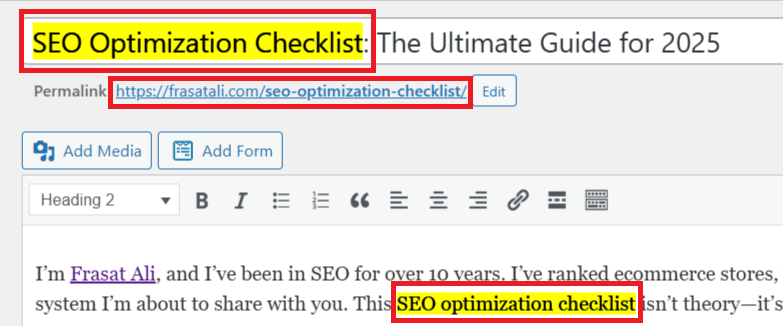
Use your main keyword in exactly four places: the title tag, the URL, the first 100 words, and at least one heading. Everything else is optional.
That is the whole rule. The rest of this guide points back here instead of repeating it.
- Title — near the front, under 60 characters
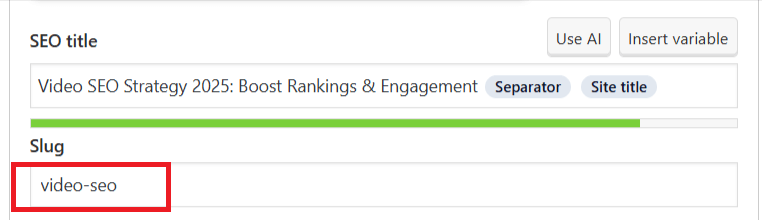
- URL — short and readable. Use
/seo-checklist/, not/page123/ - First 100 words — in a real sentence, not forced
- One heading — usually an H2, worded the way a person would say it
After that, use synonyms and related terms where they fit. Google’s spam policies treat repeated keyword insertion as a violation. It also lowers your visibility in AI systems.
New Website SEO Checklist
A new site needs five things before content matters at all: HTTPS, a sitemap, a robots.txt file, Search Console verification, and a mobile-friendly design.
- Uses HTTPS
- Has a sitemap and a robots.txt file
- Added to Google Search Console and Bing Webmaster Tools
- Loads fast and works on mobile
- Clean URL structure
Google’s Search Essentials is the official baseline. Read it once, in full.
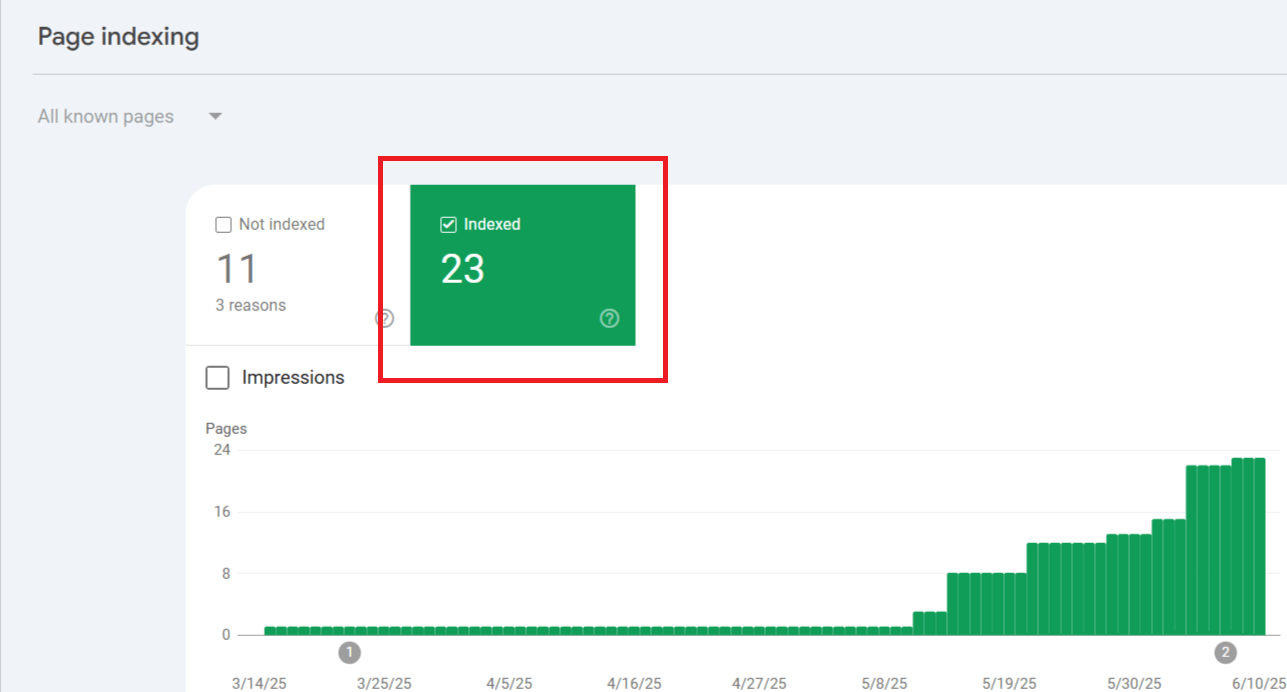
I once forgot to submit a new site to Search Console. I wondered for weeks why nothing ranked. The moment I submitted it, pages started indexing within 24 hours.
Site Structure
Use short, clean URLs. Keep navigation simple. Link your key pages from the homepage.
On-Page SEO Checklist
On-page SEO is everything you control on the page itself: the title, the meta description, the headings, the internal links and the images.
Meta Tags
Every page needs its own title and description. Keep titles near 60 characters. Keep descriptions between 140 and 160. Longer than that and Google cuts them off.
Google’s guide to titles and snippets is the reference here.
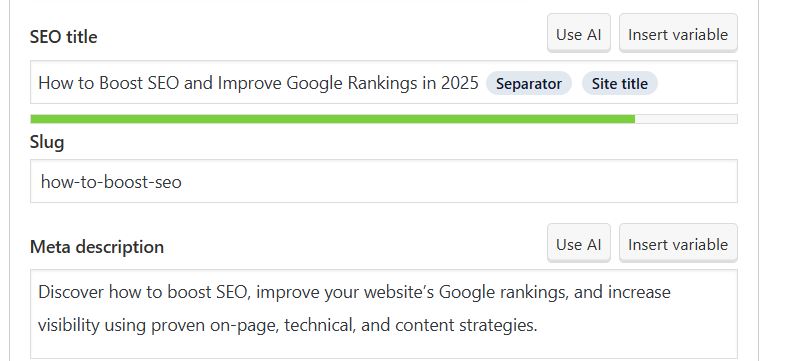
More detail in my guide to SEO meta data.
Headings
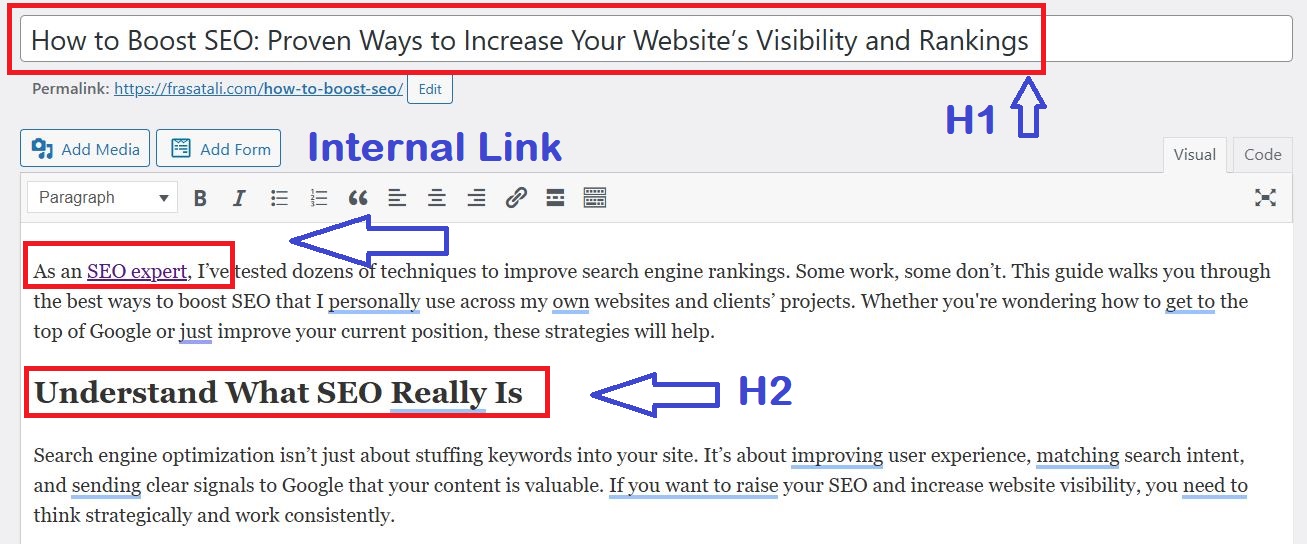
Use one H1 per page. Use H2s for sections and H3s for subpoints. Write headings the way someone would say them out loud.
Content Structure
Break up long paragraphs. Use lists where they help. Use synonyms and related terms throughout. That is what powers semantic SEO.
Internal and External Links
Link to 2 to 4 relevant pages on your own site from every page. Also link to a few trusted outside sources.
Internal links pass authority and speed up indexing. External links to primary sources are also one of the strongest drivers of AI citation. More on that below.
Technical SEO Checklist
Technical SEO is the set of speed, mobile and crawling requirements a page must meet before its content can rank at all.
Speed
Compress your images. Remove plugins you do not use. Turn on caching.
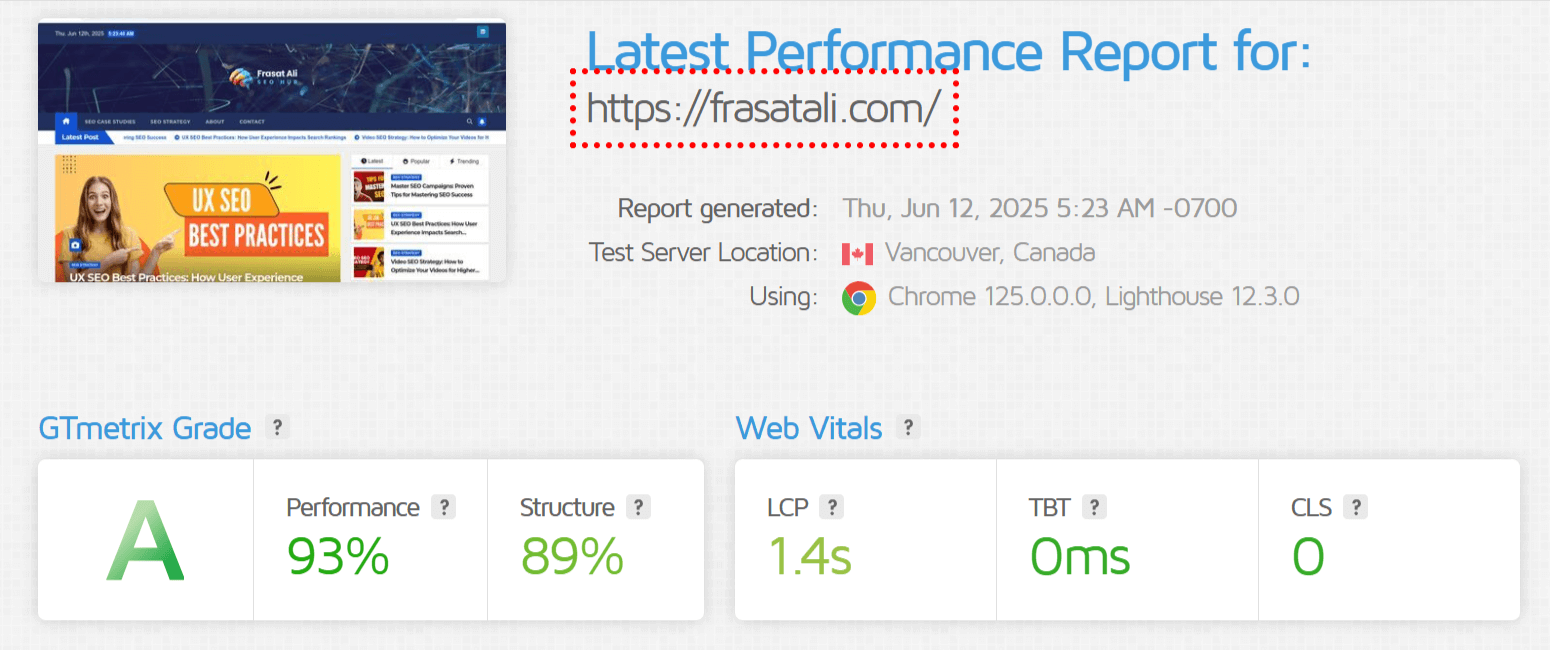
Google’s Core Web Vitals are the standard: LCP under 2.5 seconds, INP under 200ms, CLS under 0.1.
Indexing
Check that your important pages are actually indexed. Make sure nothing is blocked by a stray noindex tag. An unindexed page cannot rank, no matter how good it is.
Mobile Usability
Most search traffic is now mobile. Google uses mobile-first indexing for every site. Use readable fonts, proper button spacing and a responsive design.
Structured Data
Add Article, Organization and BreadcrumbList schema. Check it with the Rich Results Test.
Important 2026 update. Google removed FAQ rich results on 7 May 2026, as reported by Search Engine Journal. They no longer appear in Search for any site. That includes the government and health sites that kept eligibility after the 2023 restriction. HowTo rich results were removed completely in 2023.
FAQPage is still a valid Schema.org type, and AI crawlers still read it. You do not need to remove existing markup. Just do not add it expecting a search feature. For visible rich results in 2026, use Product, Recipe, Event, Article and Breadcrumb.
Google Search Console Checklist
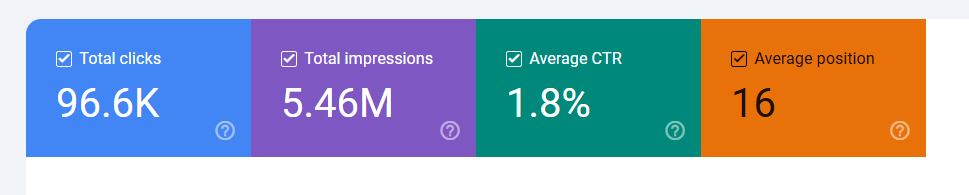
Search Console is the only source of real data on how your site performs in Google. It shows impressions, clicks, position and indexing errors, straight from the source.
Most people open it, look at the graph, and close it. Here is the full workflow.
1. Monitor Performance Metrics
Open the Performance tab. Set the date range to at least 3 months. Filter by page, query, country or device.
2. Find High-Impression, Low-Click Keywords
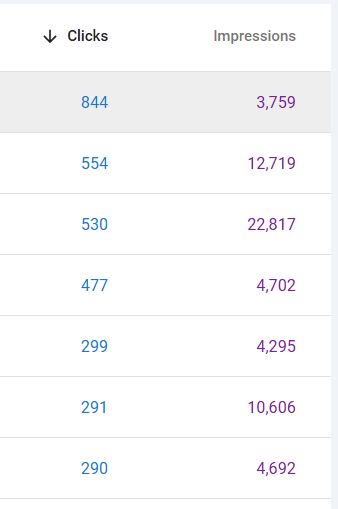
Sort your queries by impressions. Look for the ones with almost no clicks. Google is already showing you. People just are not clicking. Fix the title and description first.
3. Optimize Underperforming Pages
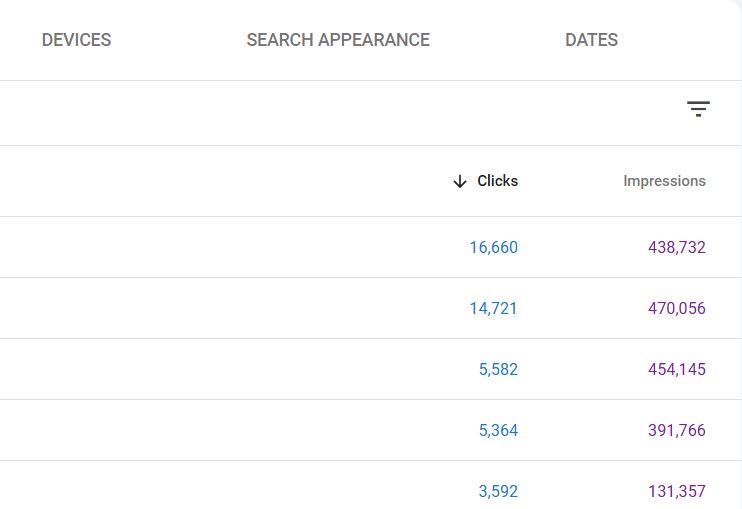
Open the Pages report. Find pages with high impressions but an average position of 20 or worse. Improve the content, add internal links to them, and tighten the keyword targeting.
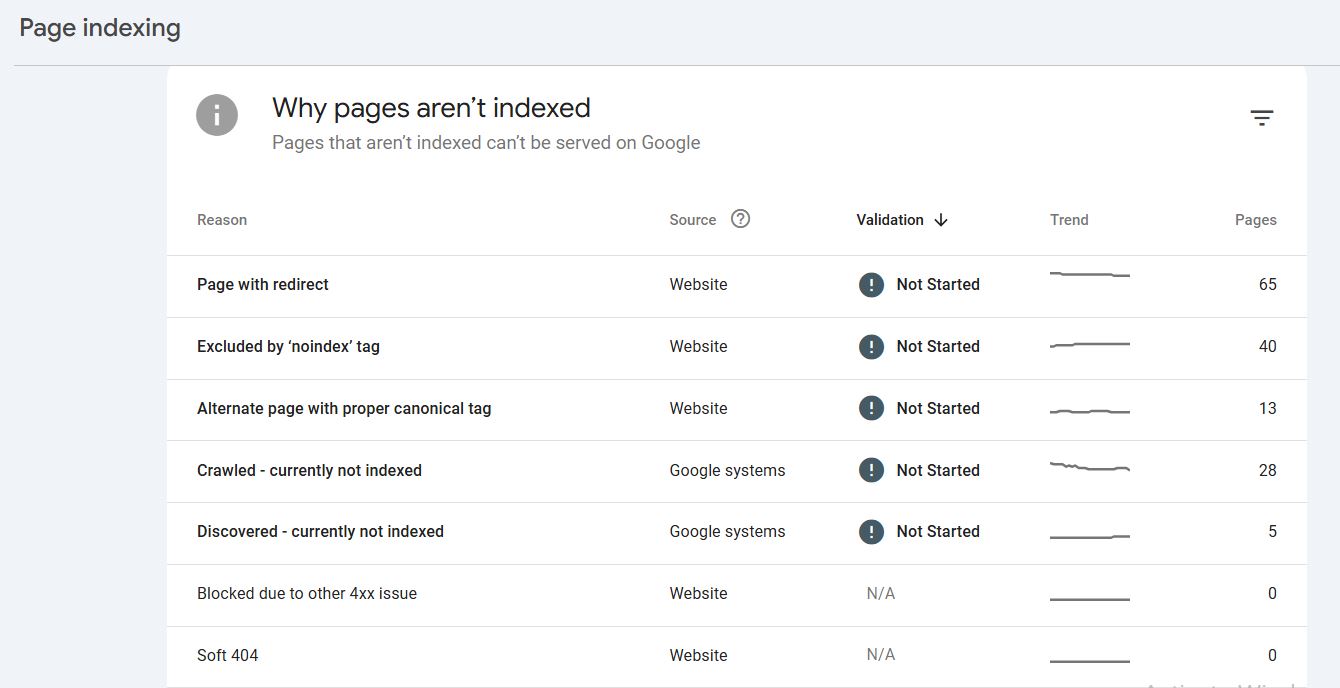
4. Check Index Coverage
Go to Pages, then “Why pages aren’t indexed.” Look for crawl problems, duplicate content, noindex tags and soft 404s.
5. Submit Updated URLs
After you update a page, run it through URL Inspection and request indexing.
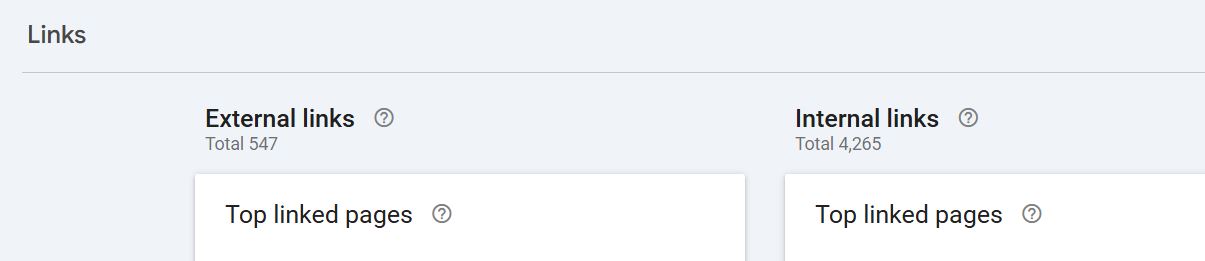
6. Use the Links Report
See which pages get the most links. Find orphan pages that nothing links to. Learn what kind of content earns backlinks.
7. Spot Declining Pages Early
Use the Compare tab to put two date ranges side by side. Look into anything that is losing clicks.
The Page-2 Tactic
This is the highest-return move in Search Console. Filter for keywords ranking at positions 11 to 20. Those pages are one step away from real traffic.
Add depth. Add internal links pointing at them. Track the position weekly.
I have moved pages from position 16 to position 3 on content improvements alone, with no new backlinks.
AI SEO Checklist: How to Rank in AI Overviews
Ranking and being cited are now two different things. A page can sit at position 3 and still lose most of its traffic to an AI Overview that answers the question on the results page.
This is the biggest change to search since mobile-first indexing. Most SEO checklists still ignore it.
What the data says
- Ahrefs measured a 58% drop in position-one CTR when an AI Overview appears. That is December 2025 data across 300,000 keywords, up from 34.5% in their April 2025 study.
- Seer Interactive found organic CTR falling 61% across 3,119 informational queries.
- SparkToro’s early 2026 study put AI Overviews on more than 20% of all Google searches.
- Citation overlap with the organic top 10 fell from around 76% in mid-2025 to between 17% and 54% in early 2026.
That last number is the important one. Being in the top 10 no longer means being cited. Citation is a separate layer of visibility. You have to work on it on purpose.
What to do about it
- Answer first, then explain. Put a complete 40 to 60 word answer directly under every H2. AI systems pull out chunks, not whole pages. A section that only makes sense in context will not get used.
- Cite primary sources. Pages that link to and quote trusted sources get cited far more often than pages making claims with no backup. This is the highest-impact change on this list.
- Use specific numbers. “Traffic improved” cannot be quoted. “Traffic doubled in 60 days across 10 rewritten articles” can.
- Keep your claims the same everywhere. If your site says one thing and your LinkedIn says another, no model will repeat either one.
- Add entity schema. Person and Organization markup with sameAs links to your real profiles lets AI systems match your name to an actual person, not just a string of text.
- Expect impressions up and clicks down. Track both. Rising impressions with falling clicks is now normal, not a failure.
I saw this first-hand on a client site: manual SEO vs AI-generated SEO. The pages written by hand indexed above 90%. The bulk AI-generated pages indexed at around 10%.
Content SEO Checklist
Content ranks when it answers the question more completely than anything on page one. Word count is not what does it.
Write to Solve Problems
Answer the question better than the current results do. Do not pad. See practical examples in website content writing that works.
Keyword Usage
Follow the four placement rules above. Nothing more is needed.

Optimize Media
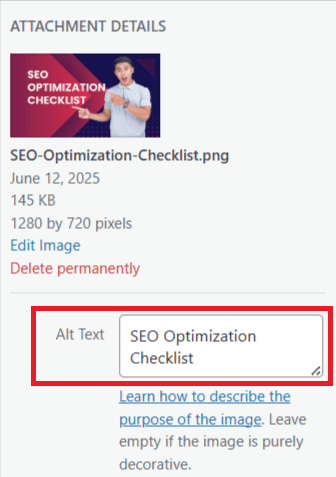
Add alt text to every image. Keep files under 150KB where you can. Use clear filenames like seo-checklist-2026.png. Serve WebP and lazy-load anything below the fold.
Update Content
Content decays. Revisit your important pages every 3 to 6 months. Fix broken links, old stats, old screenshots and out-of-date year references.
Local SEO Checklist
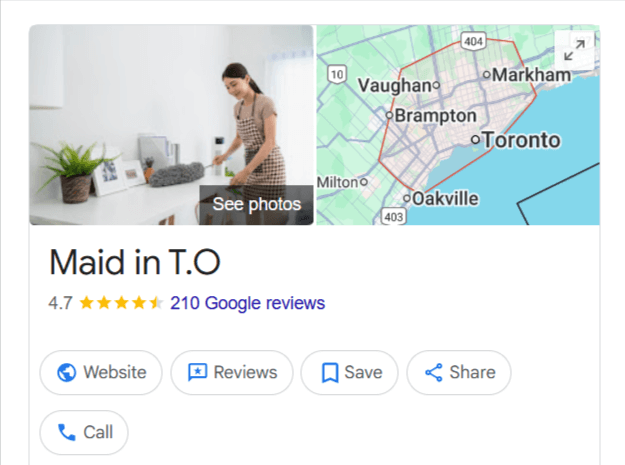
Local SEO comes down to three things: a complete Google Business Profile, the same business details everywhere online, and real reviews.
- Claim your Google Business Profile
- Use the same name, address and phone number across every directory
- Get listed on Yelp, Apple Maps and Bing Places
- Ask happy customers for Google reviews
- Put your service area and keywords on your homepage
See also local SEO for service area businesses and how to rank higher on Google Maps.
Ecommerce SEO Checklist
Ecommerce SEO comes down to four things: unique product descriptions, clean category pages, internal links between related products, and product schema.
- Write a unique description for every product. Never use the manufacturer’s copy.
- Give each category page its own intro text, not just a grid of products.
- Link related products to each other.
- Add Product schema with price and availability.
- Fix duplicate URLs created by filters and sorting.
- Keep out-of-stock pages live instead of deleting them.
- Target buyer intent on product pages and informational intent on the blog.
I built 1,000+ pages for a wig store using this approach. It went from zero to 233K+ impressions with very few backlinks. Full write-up: ecommerce semantic SEO case study.
Off-Page SEO Checklist
Links still matter. But relevance beats volume, and buying links is a risk, not a shortcut.
What has actually worked for my clients:
- Guest posts on blogs that are genuinely related to the business
- Publishing case studies with real proof that other people want to cite
- Answering journalist requests
- Getting covered by local news
Five niche guest posts moved a Toronto cleaning client’s target keyword from page 4 to page 1. Full method: off-page SEO strategy.
If you are dealing with links you did not build, read Google’s link spam guidance and use the disavow tool.
WordPress SEO Checklist
WordPress needs an SEO plugin, a light theme, clean permalinks and image compression. The rest is content.
- Rank Math or Yoast SEO
- A clean theme like Astra or GeneratePress
- Permalinks set to post name
- A caching plugin
- ShortPixel or Smush for images
- Unused plugins turned off
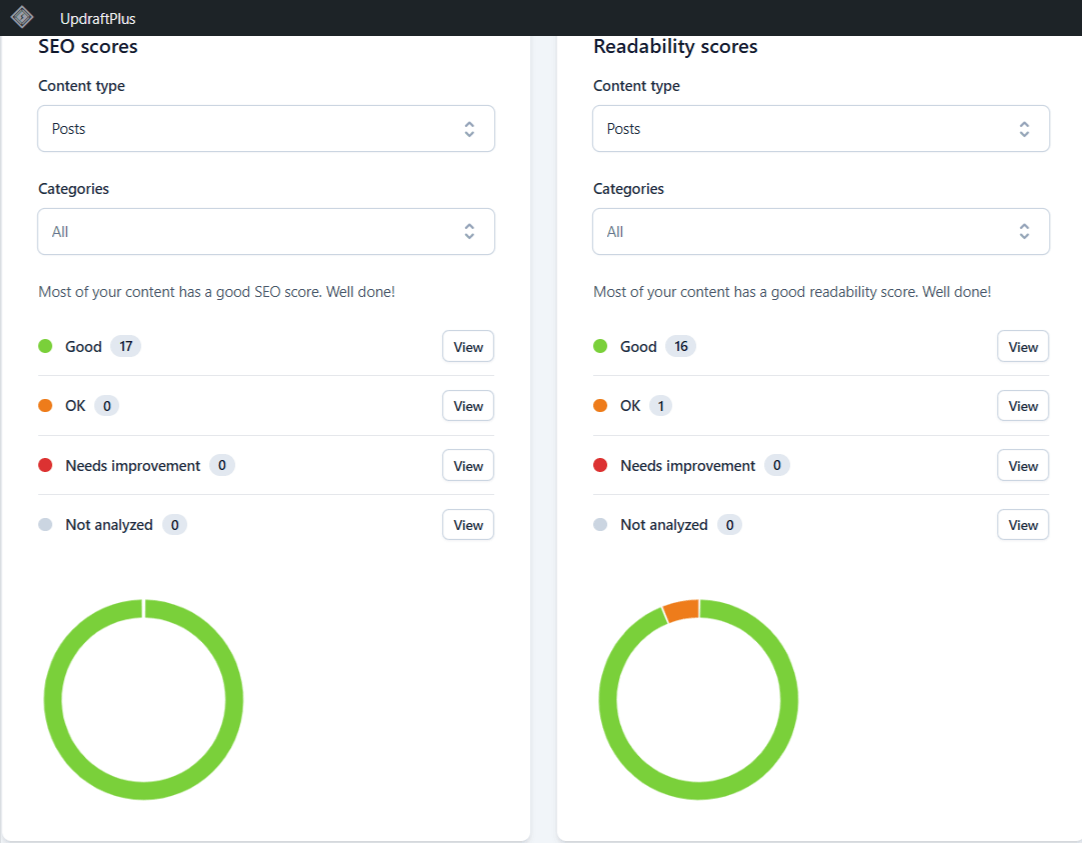
SEO Maintenance Checklist
SEO decays without maintenance. Run this monthly SEO checklist every month.
- Check Search Console for new issues
- Fix 404s and redirect dead URLs
- Check speed and mobile performance
- Update your best-performing content
- Remove outdated or duplicate pages
- Review rankings and adjust
SEO Results: Real Case Studies
These are outcomes from real client projects, with the timeframe for each.
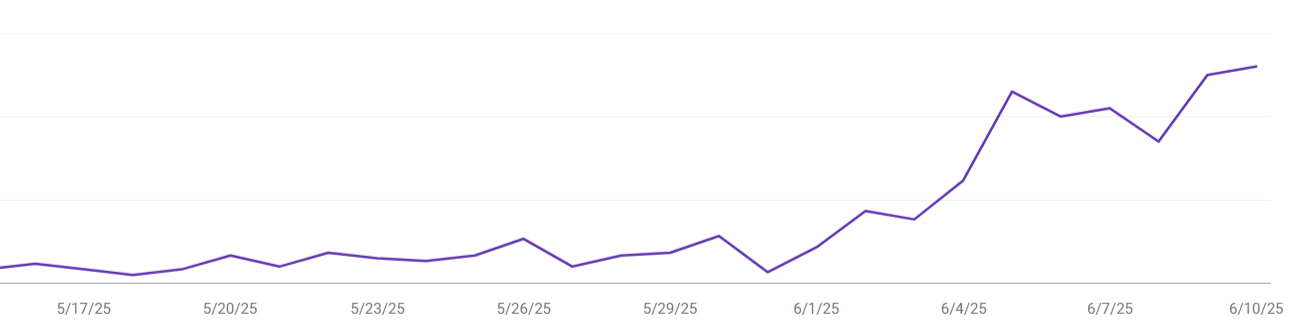
Organic skincare brand: traffic doubled in 60 days
I rewrote 10 existing articles with better structure and real insight. No new backlinks. No new pages.
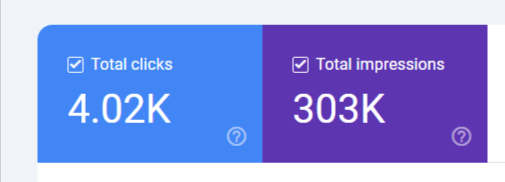
Toronto cleaning service: strong impression growth in 3 months
Keyword research, dedicated service pages, location posts and five guest placements. The client reported organic impressions up around 280% and direct leads arriving from search.
Ecommerce wig store: zero to 233K+ impressions
1,000+ pages built with keyword clusters and 15 to 30 internal links per page. Very few backlinks. The Search Console data is in the full write-up: ecommerce semantic SEO case study.

SEO Mistakes to Avoid
Most SEO failures come from a short list of avoidable errors.
- Writing for the keyword instead of the person
- Keyword stuffing and over-optimizing
- Publishing thin content just to publish something
- Never fixing broken links
- Copying content from other sites
- Ignoring mobile
- Skipping internal links
What I Never Do
- Buy backlinks. Google’s link spam policies are clear, and detection has improved a lot. Cheap links are a liability.
- Use exact-match anchor text at scale. Brand and URL anchors are safer and work better.
- Publish automated content in bulk. See the indexing numbers in the AI section above.
- Publish more instead of publishing better. Thin pages drag down the good ones.
Frequently Asked Questions
How long does SEO take to show results?
Usually 3 to 6 months. It depends on your niche, your content and the competition. Improving existing pages works fastest. I have seen positions change within three weeks.
What is the most important item on this checklist?
Indexing. An unindexed page cannot rank at all. Check Search Console first.
Can I improve rankings without building backlinks?
Yes, up to a point. I have moved pages from position 16 to 3 on content improvements alone. Links matter most in competitive commercial niches.
Does FAQ schema still work in 2026?
Not for rich results. Google removed FAQ rich results on 7 May 2026 for all sites. FAQPage is still a valid Schema.org type and AI crawlers still read it, so existing markup can stay. It just no longer produces a search feature.
How do I show up in AI Overviews?
Write each section so it answers a question completely on its own. Cite primary sources. Use specific numbers. Add Person and Organization schema so AI systems can work out who you are. Ranking well helps, but it no longer guarantees a citation.
How do I find SEO keywords in Search Console?
Go to Performance, then Queries. Those are the real terms people used to find you. The ones with high impressions and low clicks are your best opportunities.
What is the difference between Google Analytics and Search Console?
Analytics shows what people do on your site. Search Console shows how your site performs in Google search.
Do I need paid SEO tools?
No, not to start. Search Console and Analytics are free and cover the basics.
Final Thoughts
This guide brings together my SEO best practices checklist, my technical and on-page checklists, and my full Search Console workflow into one SEO optimisation checklist. Bookmark it and work through one section at a time.
Do not try to do all of this at once. Start with Search Console. Then work down the list.
The sites I have grown from zero to 100K+ visits did not get there through anything clever. Someone worked through a list like this one, consistently, for months.

SEO Consultant with 11+ Years of Experience across E-commerce, Legal, Medical, and Local Service Businesses. Learn more about me, read my Case Studies, or Work With Me.