
Last updated: November 2026
Quick Summary
An SEO checklist is a list of the technical, on-page, content and off-page tasks a website needs to rank in Google and get cited in AI search. Working through it in order stops the most common SEO failure: doing 90% of the work and missing the one item that blocks the rest.
- Start with indexing. A page that is not indexed cannot rank, no matter how good it is.
- The fastest win is in Search Console. Find keywords sitting at positions 11 to 20 and improve those pages first.
- Ranking and being cited are now separate. When an AI Overview appears, the top result gets far fewer clicks, so you need to work on both.
- Most results take 3 to 6 months. Improving existing pages is the fastest route, sometimes within three weeks.
- Consistency beats clever tricks. Every result on this page came from working a list like this one, month after month.
I’m Frasat Ali, an SEO consultant. I have worked in SEO since 2015. This is the checklist I use on real client projects for medical clinics, law firms, local service businesses and online stores. Where I have proof, I have added the screenshot.
Disclosure: No links on this page are affiliate links. The tools I name are the ones I actually use.
Table of Contents
- SEO Checklist at a Glance
- Keyword Checklist
- New Website SEO Checklist
- On-Page SEO Checklist
- Technical SEO Checklist
- Google Search Console Checklist
- AI Search Checklist
- Content SEO Checklist
- Local SEO Checklist
- Ecommerce SEO Checklist
- Off-Page SEO Checklist
- WordPress SEO Checklist
- Monthly SEO Maintenance Checklist
- Results From Real Client Projects
- SEO Mistakes to Avoid
- FAQs
SEO Checklist at a Glance
This table is the whole SEO checklist on one screen. Each row has its own section below with the steps and the reason behind them. If you only have an hour, start with the Search Console and Technical rows. Those two find the problems that block everything else.
| SEO area | What to do | Why it matters |
|---|---|---|
| Keywords | Title, URL, first 100 words, one heading | Tells Google what the page covers |
| On-page | Unique title and description, clean headings, internal links | Controls how Google reads the page |
| Technical | Fast, mobile-friendly, HTTPS, crawlable | Without this, good content still fails |
| Search Console | Fix errors, find page-2 keywords, lift CTR | Free data straight from Google |
| AI search | Answer-first sections, cited claims, entity schema | Ranking and being cited are now separate |
| Content | Answer better than page one does | Keeps readers on the page |
| Local | Business Profile, same details everywhere, reviews | Gets you into the Map Pack |
| Off-page | Earn relevant links from real sites | Builds authority over time |
| Maintenance | Monthly checks, updates every 3 to 6 months | Content and rankings decay without it |
Keyword Checklist: Where to Place Your Main Keyword
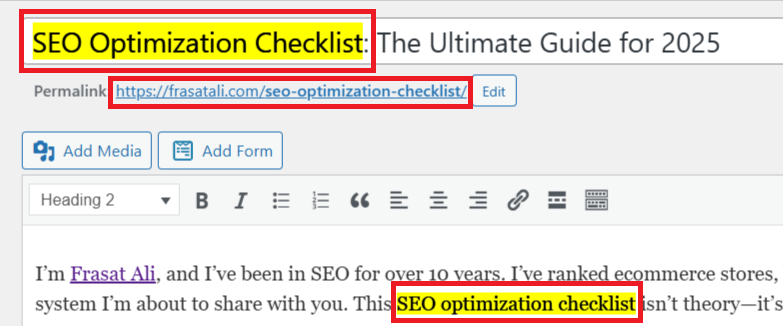
Use your main keyword in four places: the title tag, the URL, the first 100 words and at least one heading. After that, write naturally. Use related terms and synonyms where they fit. Google can understand a topic without the same phrase repeated in every paragraph.
- Title: near the front, about 60 characters or less
- URL: short and readable, like
/seo-checklist/, not/page123/ - First 100 words: in a real sentence, not forced
- One heading: usually an H2, worded the way a person would ask it
Repeating a keyword over and over is a problem. Google’s spam policies list keyword stuffing as a violation. It also makes the page harder to read, for people and for AI systems.
New Website SEO Checklist
A new website needs five things before content can rank: HTTPS, an XML sitemap, a robots.txt file, Search Console verification and a mobile-friendly design. These are the foundation. If one is missing, Google may find your pages slowly or not at all, and your content work is wasted.
- The site uses HTTPS
- It has an XML sitemap and a robots.txt file
- It is added to Google Search Console and Bing Webmaster Tools
- It loads fast and works on a phone
- URLs are short and clean
- Key pages are linked from the homepage
Google’s Search Essentials is the official baseline. Read it once, in full.
I once forgot to submit a new site’s sitemap in Search Console. Nothing ranked for weeks. Google can find sites on its own, but after I submitted the sitemap, pages started getting indexed within 24 hours.
On-Page SEO Checklist
On-page SEO covers everything you control on the page itself: the title, the meta description, the headings, the internal links and the images. These tell Google what the page is about and help searchers decide to click. They are also the quickest items to fix on an existing page.
Title and Meta Description
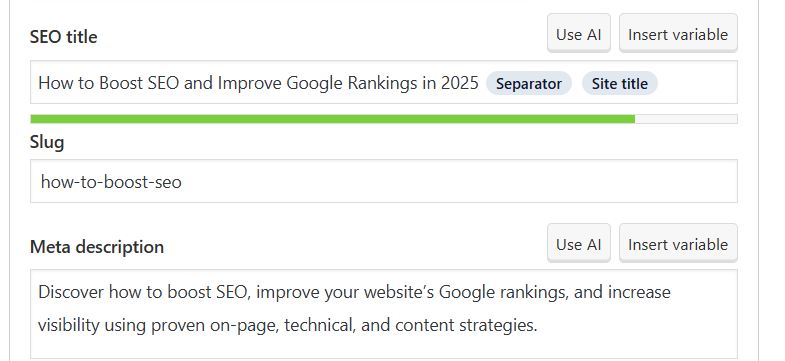
Give every page its own title and description. Keep titles to about 60 characters. Google usually shows about 150 to 160 characters of a description, and it often rewrites descriptions to match the search. Write one anyway. A clear description still wins clicks when Google uses it.
Google’s guides to title links and snippets are the reference. For examples and testing, see my guide to SEO meta data.
Headings
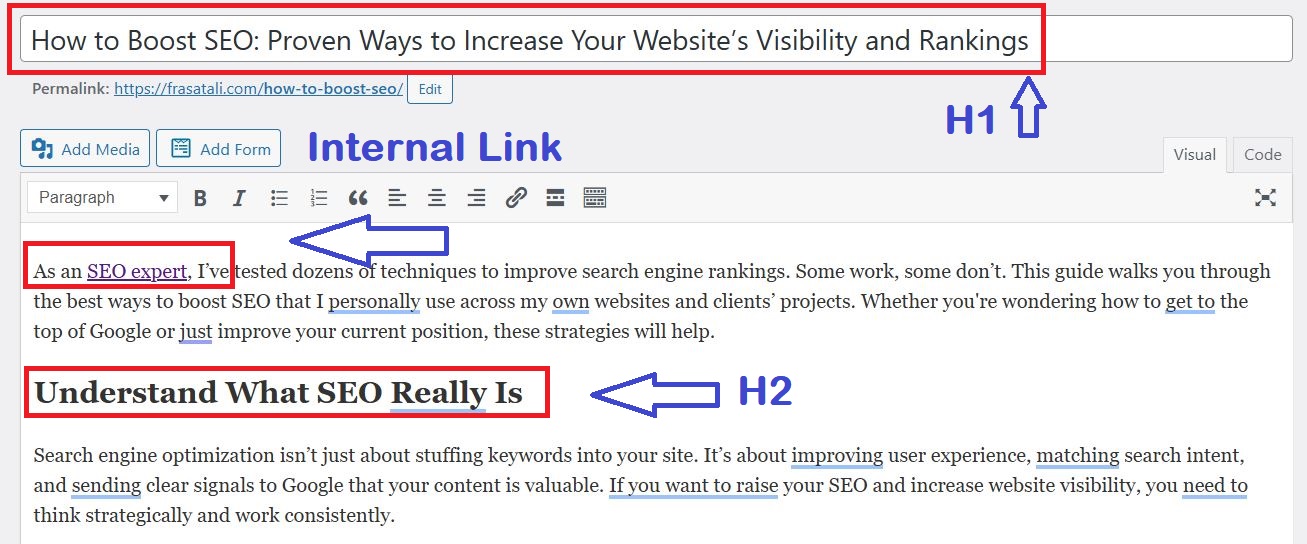
Use one H1 per page. Use H2s for main sections and H3s for points inside them. Write headings the way someone would ask the question out loud.
Internal and External Links
Link every page to a few related pages on your own site. On a normal blog post, 2 to 4 relevant internal links is enough. Large sites with hundreds of connected pages need more. On one ecommerce store, I used 15 to 30 links per page to get new pages indexed. You can read how in my ecommerce SEO case study.
Also link to a few trusted outside sources when you make a claim. It helps readers check your facts, and it helps AI systems trust the page.
Technical SEO Checklist
Technical SEO is the set of speed, mobile and crawling checks a page must pass before its content can rank. If Google cannot crawl, index or load a page well, the content on it does not matter. Run these checks on any new site and after every big site change.
Speed
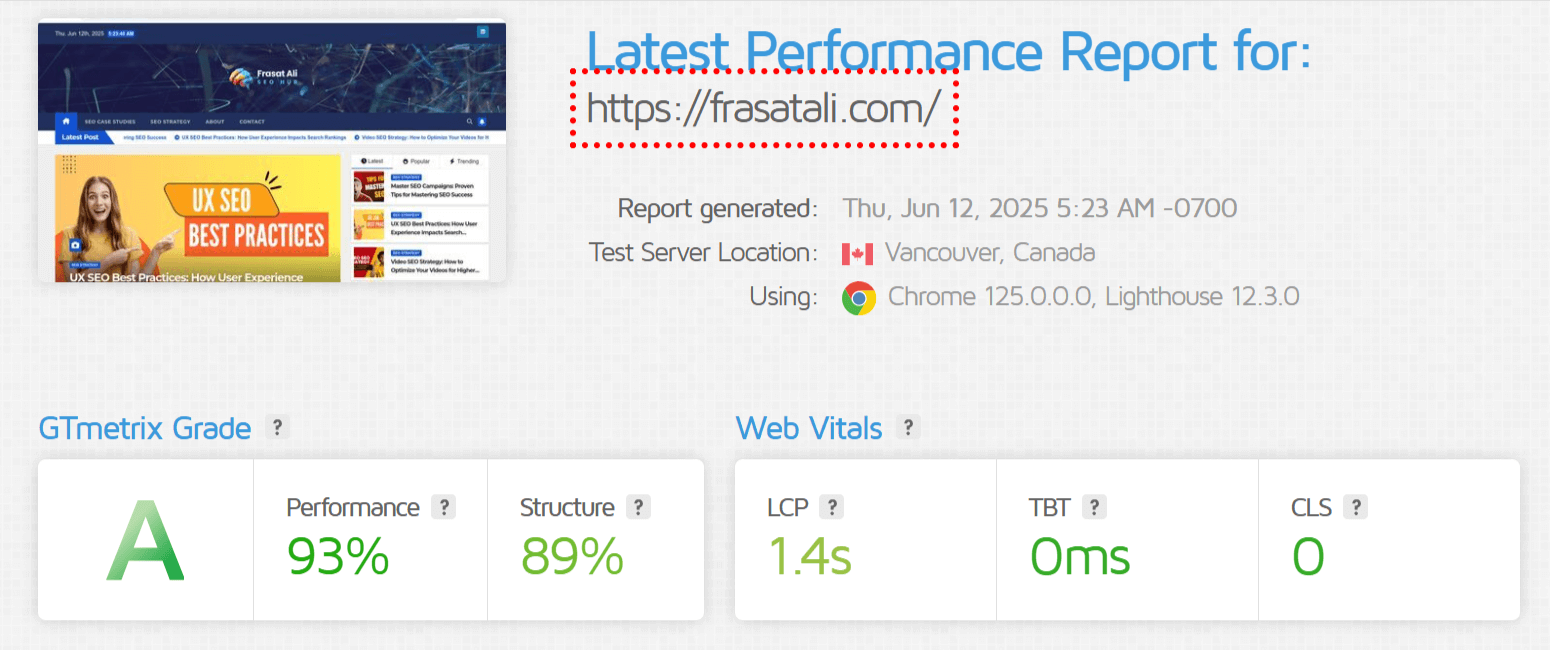
Compress your images. Remove plugins you do not use. Turn on caching. Google’s Core Web Vitals are the standard to aim for: LCP under 2.5 seconds, INP under 200 milliseconds and CLS under 0.1. My website speed case study shows the steps I used on this site.
Indexing
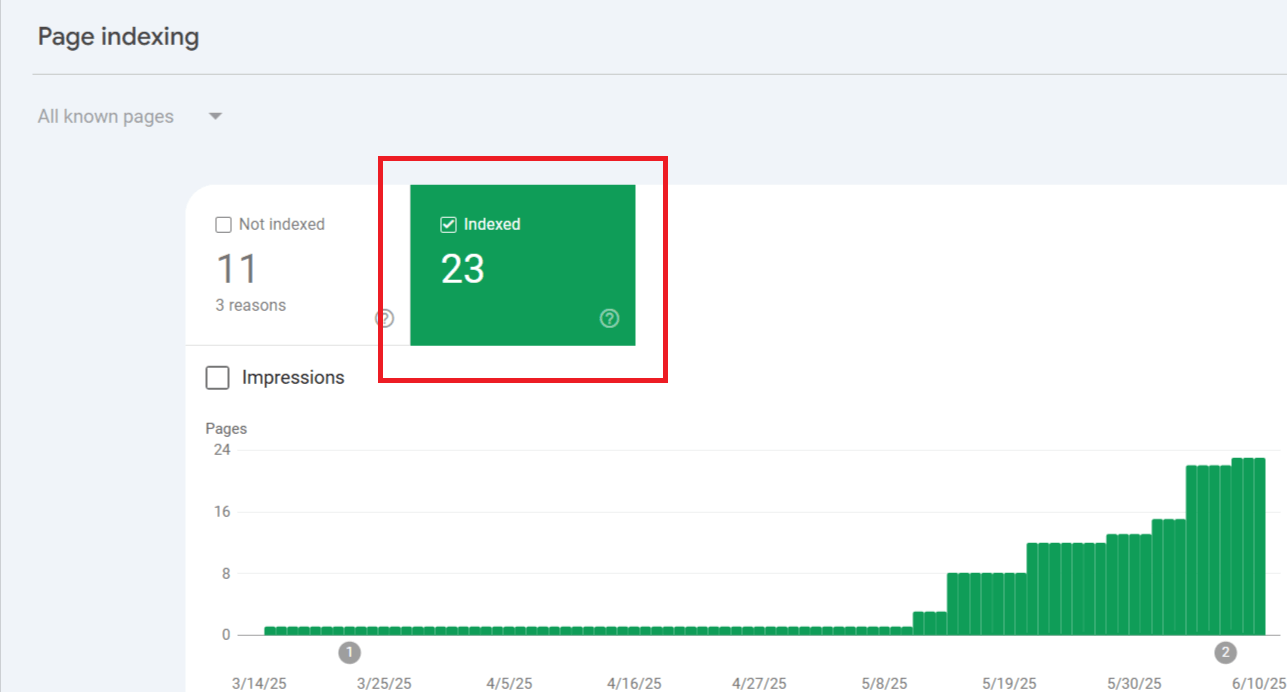
Check that your important pages are indexed. Make sure no page is blocked by a stray noindex tag or a robots.txt rule.
Mobile
Google uses mobile-first indexing. That means it mainly looks at the mobile version of your site. Use readable fonts, enough space between buttons and a responsive design.
Structured Data
Add Article, Organization and BreadcrumbList schema. Add Person schema for the author. Check your markup with the Rich Results Test.
2026 update: Google stopped showing FAQ rich results for all sites on 7 May 2026. This is stated in Google’s FAQ structured data documentation. HowTo rich results were already removed in 2023. FAQPage is still a valid Schema.org type, so you do not need to remove existing markup. Just do not add it expecting a search feature.
Google Search Console Checklist
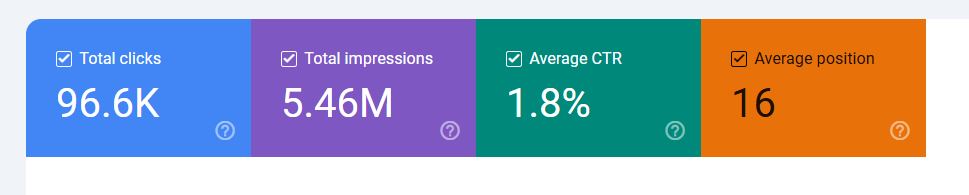
Google Search Console shows how your site performs in Google: clicks, impressions, average position and indexing errors, straight from the source. It is free, and it is the most useful SEO tool you have. Most people look at the graph and close it. Here is the full workflow I use every month.
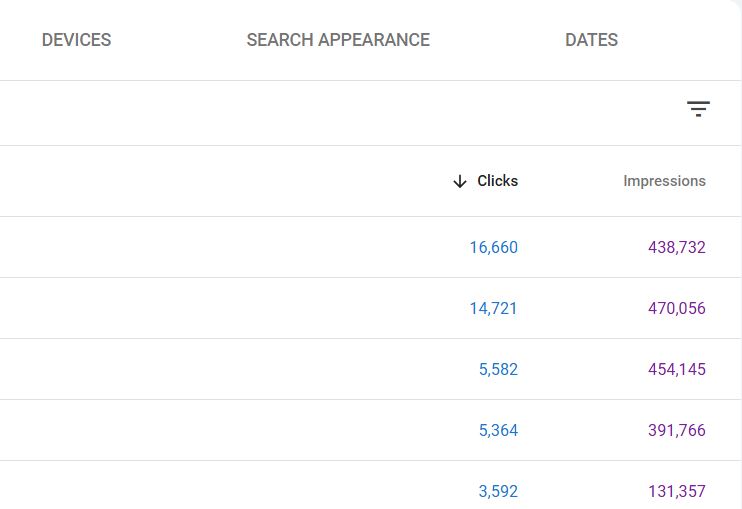
1. Check Performance
Open the Performance report. Set the date range to at least 3 months. Filter by page, query, country or device.
2. Find High-Impression, Low-Click Keywords
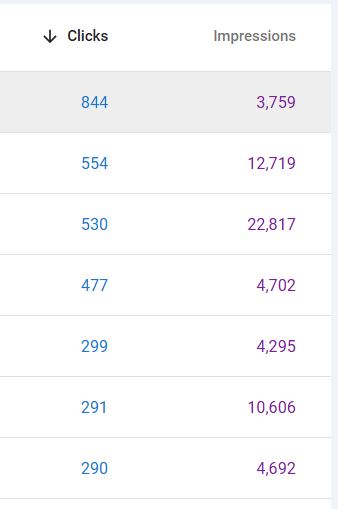
Sort your queries by impressions. Look for the ones with almost no clicks. Google is already showing your page, but people are not clicking. Rewrite the title and description first.
3. Improve Underperforming Pages
Open the Pages tab. Find pages with lots of impressions but an average position of 20 or worse. Add depth, add internal links to them and tighten the keyword focus.
4. Check Indexing
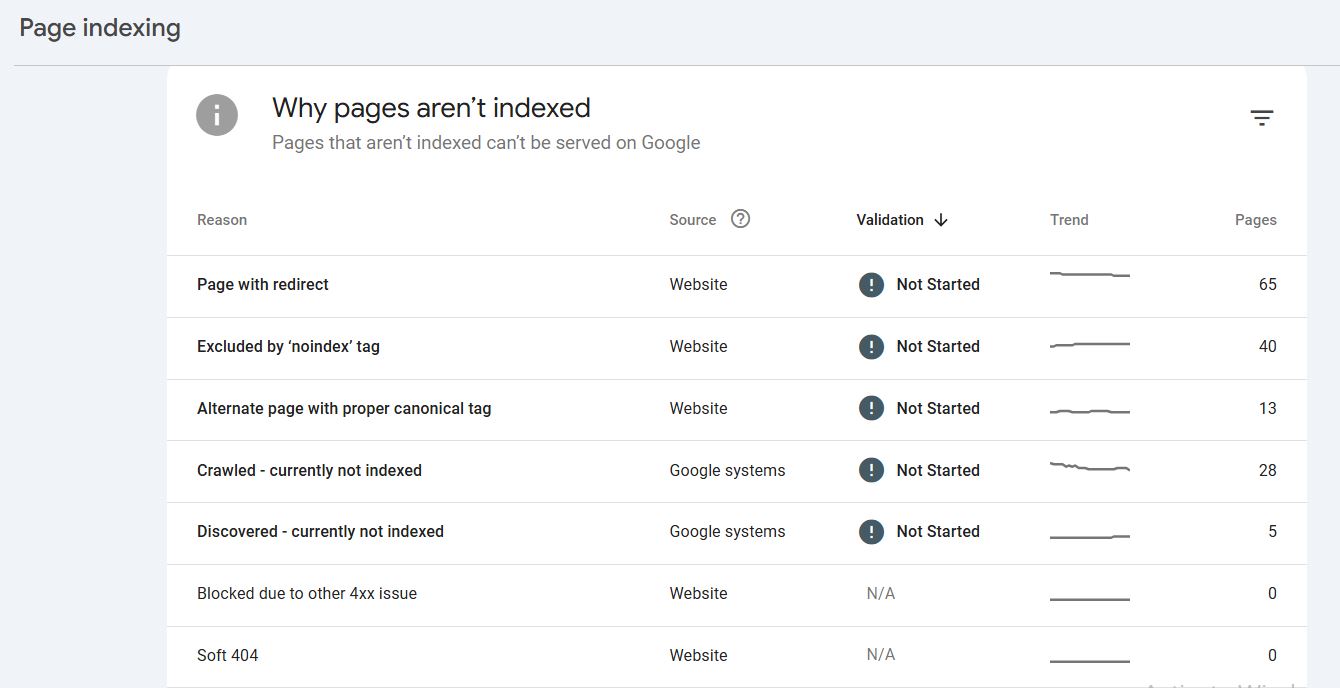
Go to Indexing, then Pages, then “Why pages aren’t indexed.” Look for crawl problems, duplicate pages, noindex tags and soft 404s.
5. Request Indexing After Updates
After you update an important page, run it through URL Inspection and request indexing.
6. Use the Links Report
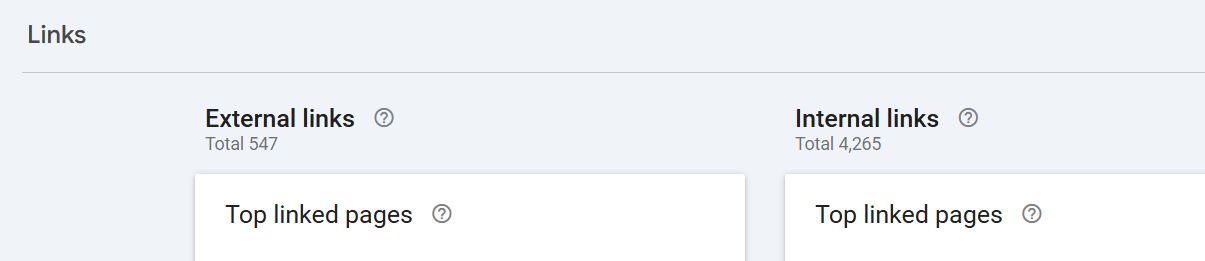
See which pages get the most links. Find orphan pages that no other page links to. Learn which content earns backlinks.
7. Spot Declining Pages Early
Use the Compare option to put two date ranges side by side. Look into any page that is losing clicks.
The Page-2 Tactic
This is the highest-return move in Search Console. Filter for keywords ranking at positions 11 to 20. Those pages are one step away from real traffic. Add depth, add internal links pointing to them and track the position weekly. I have moved pages from position 16 to position 3 with content improvements alone, without new backlinks.
AI Search Checklist: How to Get Cited in AI Overviews
Ranking and being cited are now two different things. A page can rank in the top 3 and still lose most of its clicks to an AI Overview that answers the question on the results page. To stay visible, your content needs to be easy for AI systems to quote, not just easy for Google to rank.
What the data shows
- Fewer clicks. Ahrefs found that when an AI Overview appears, the top-ranking page gets a 58% lower click-through rate. That is December 2025 data across 300,000 keywords, up from 34.5% in their April 2025 study.
- Ranking is no longer enough. In July 2025, 76% of pages cited in AI Overviews also ranked in Google’s top 10. By March 2026, Ahrefs measured only 38%.
That second number is the important one. Being in the top 10 no longer means being cited. Citation is a separate layer of visibility, and you have to work on it on purpose.
What to do
- Answer first, then explain. Put a short, complete answer (about 30 to 60 words) directly under each H2. AI systems pull out sections, not whole pages. A section that only makes sense in context will not get used.
- Cite your sources. Link to the original study or official page behind each claim. The research paper that introduced Generative Engine Optimization (GEO) found that adding citations, quotations and statistics made content more visible in AI answers.
- Use specific numbers. “Traffic improved” cannot be quoted. “Traffic doubled in 60 days across 10 rewritten articles” can.
- Keep your claims the same everywhere. If your website says one thing and your LinkedIn says another, an AI system has no reason to trust either.
- Add entity schema. Person and Organization markup with sameAs links to your real profiles helps AI systems connect your name to a real person or business.
- Expect impressions up and clicks down. Track both. Rising impressions with falling clicks is now normal, not always a failure.
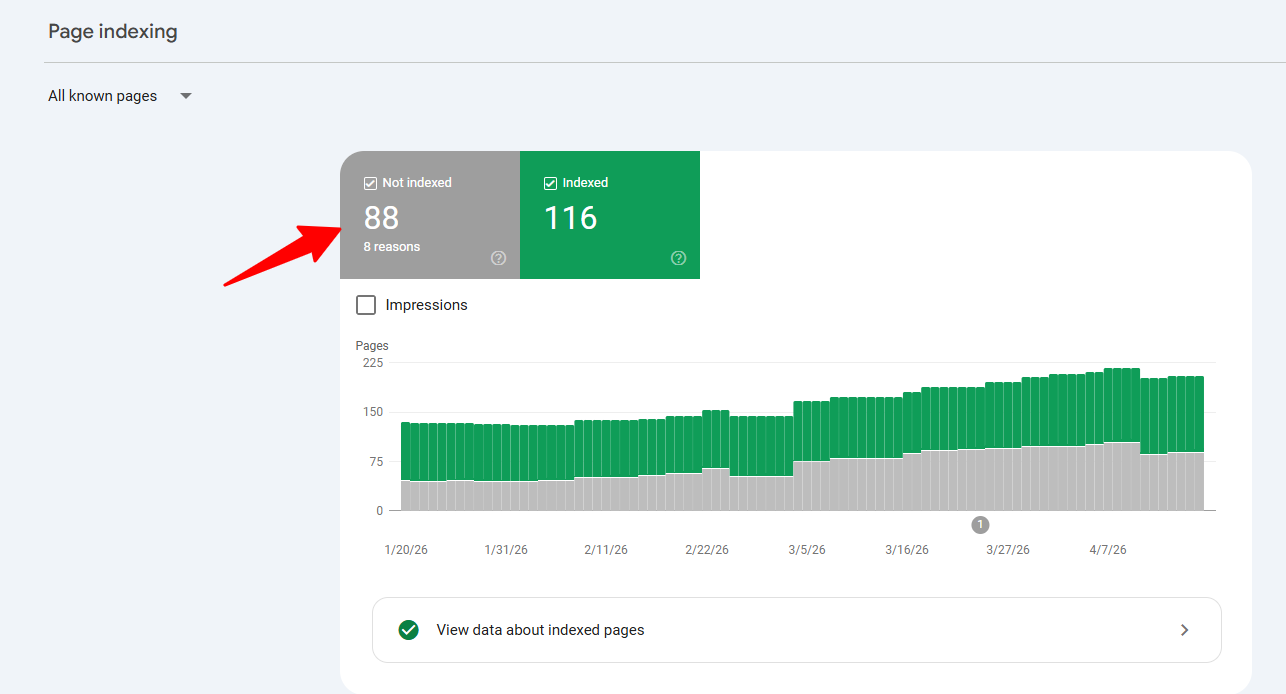
I saw the cost of ignoring this on a client site. In my manual SEO vs AI content case study, pages planned and written by hand were indexed above 90%. Bulk AI pages published with no editing and no internal links were indexed around 10%.
Content SEO Checklist
Content ranks when it answers the searcher’s question more completely and more clearly than the pages already on page one. Word count alone does not do it. A short page that solves the problem beats a long page that repeats itself. Use this content checklist before you publish any page.
- Match the search intent. Is the searcher trying to learn, compare or buy? Give them that.
- Answer the question early. Put the answer near the top, then the details.
- Cover the topic, not one phrase. Answer the related questions people ask next. Google’s guide to helpful, people-first content is the standard.
- Add real experience. Screenshots, numbers and examples from your own work.
- Follow the four keyword placements. Nothing more is needed.
- Edit AI drafts by hand. Check every fact, number and link. My SEO content writing guide explains how I plan and edit each page.
Optimize Images
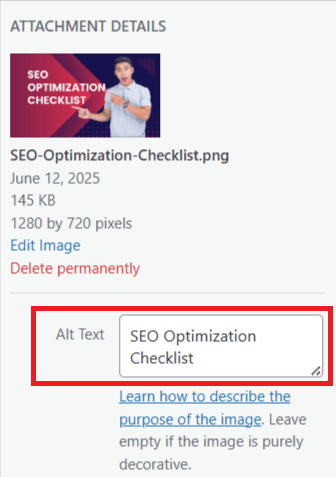
Add alt text that describes what each image shows. Keep files under 150KB where you can. Use clear filenames like seo-checklist-2026.webp. Serve WebP and lazy-load images below the fold.
Update Content
Content decays. Revisit your important pages every 3 to 6 months. Fix broken links, old statistics, old screenshots and outdated year references.
Local SEO Checklist
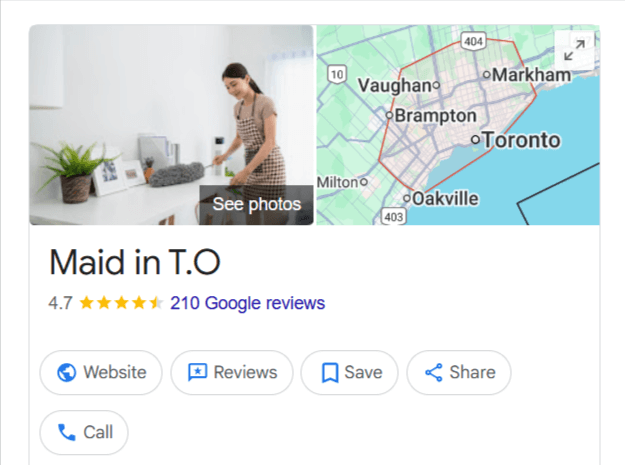
Local SEO comes down to three things: a complete Google Business Profile, the same business details everywhere online, and a steady flow of real reviews. For service businesses like clinics, law firms, movers and cleaners, the Map Pack often brings more calls than any blog post.
- Claim and fully complete your Google Business Profile
- Choose the most accurate primary category
- Use the same name, address and phone number (NAP) on every directory
- Get listed on Apple Maps, Bing Places and Yelp
- Ask happy customers for Google reviews and reply to every review
- Build a page for each main service and each city you serve
For the full process, see my local SEO case studies for service area businesses and my guide on how to rank higher on Google Maps.
Ecommerce SEO Checklist
Ecommerce SEO comes down to unique product descriptions, useful category pages, internal links between related products, and product schema. Online stores often have thousands of near-identical pages, so structure and indexing matter even more than on a normal website.
- Write a unique description for every product. Never copy the manufacturer’s text.
- Give each category page its own intro text, not just a grid of products.
- Link related products and categories to each other.
- Add Product schema with price and availability.
- Fix duplicate URLs created by filters and sorting.
- Keep out-of-stock pages live instead of deleting them.
- Target buyer keywords on product pages and question keywords on the blog.
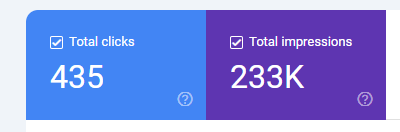
I used this approach on a new online wig store. It grew from zero to 233K+ Google impressions and 435 clicks with very few backlinks. The full process and Search Console screenshots are in my ecommerce SEO case study.
Off-Page SEO Checklist
Links still matter, but relevance beats volume. One link from a real site in your industry or city is worth more than dozens of links from unrelated sites. Buying cheap links is a risk, not a shortcut.
What has worked for my clients:
- Features and guest posts on sites genuinely related to the business or city
- Case studies with real proof that other people want to cite
- Answering journalist requests
- Coverage in local news and local directories
Five local features helped move a Toronto cleaning client’s main keyword from page 4 to page 1. The full method is in my off-page SEO strategy guide.
If a link was paid for, Google expects it to be marked with rel="sponsored". See Google’s guide to qualifying outbound links. If you are dealing with spammy links you did not build, read Google’s link spam policy before using the disavow tool.
WordPress SEO Checklist
A WordPress site needs an SEO plugin, a lightweight theme, clean permalinks, caching and image compression. These take an afternoon to set up. After that, your results depend on your content and links, not your settings.
- Install one SEO plugin, such as Rank Math or Yoast SEO
- Use a lightweight theme, such as Astra or GeneratePress
- Set permalinks to “Post name”
- Add a caching plugin
- Compress images with a plugin such as ShortPixel or Smush
- Deactivate and delete plugins you do not use
Monthly SEO Maintenance Checklist
SEO is not a one-time job. Rankings and content decay without regular checks. Run this short monthly SEO checklist to catch problems before they cost you traffic. It takes about an hour on a small site.
- Check Search Console for new indexing or performance issues
- Fix 404 errors and redirect dead URLs to the closest live page
- Check speed and mobile performance
- Update your best-performing pages
- Merge or redirect thin and duplicate pages
- Review rankings and adjust your plan
Results From Real Client Projects
These are results from projects I worked on, with the timeframe and the metric for each. Clicks, impressions and visits are different numbers, so each result says which one it is. More detail is on my SEO case studies page.
Organic skincare brand: clicks doubled in 60 days
I rewrote 10 existing articles with better structure and real insight. No new backlinks and no new pages.
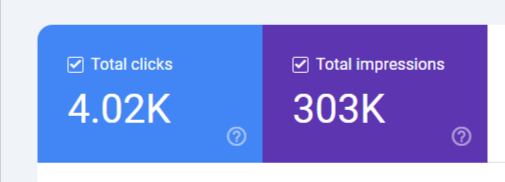
Toronto cleaning service: impressions up around 280% in 3 months
Keyword research, dedicated service pages, location posts and features in five local “best cleaning service” articles. The client reported organic impressions up around 280% and new leads arriving from search.
Online wig store: zero to 233K+ impressions and 435 clicks
More than 1,000 pages built around keyword clusters, with 15 to 30 internal links per page and very few backlinks. Full write-up: ecommerce SEO case study.
Medical clinic: 100K+ organic clicks by April 2026
Six months of work (Aug 2025 – Jan 2026): a content rewrite, Google Business Profile work, internal linking and brand-name backlinks. Full write-up: medical clinic SEO case study.
SEO Mistakes to Avoid
Most SEO failures come from a short list of avoidable mistakes. Check your site against this list before you start any new SEO work. Fixing one of these often does more than adding new content.
- Writing for the keyword instead of the person
- Keyword stuffing and over-optimizing
- Publishing thin pages just to publish something
- Leaving broken links unfixed
- Copying content from other sites
- Ignoring mobile users
- Skipping internal links
What I Never Do
- Buy links from link farms, PBNs or link sellers. Google’s link spam policies are clear, and cheap links become a liability.
- Use exact-match anchor text at scale. Brand and URL anchors are safer and work better.
- Publish automated content in bulk. See the indexing numbers in the AI search section above.
- Choose more pages over better pages. Thin pages drag down the good ones.
Frequently Asked Questions
How long does SEO take to show results?
Usually 3 to 6 months. It depends on your niche, your content and your competition. Improving pages that already rank on page 2 is the fastest route. I have seen positions change within three weeks.
What is the most important item on this SEO checklist?
Indexing. A page that is not indexed cannot rank at all. Check the Pages report in Search Console first.
Can I improve rankings without building backlinks?
Yes, up to a point. Content updates and internal links can move pages a long way. Backlinks matter most in competitive commercial niches.
Does FAQ schema still work in 2026?
Not for rich results. Google stopped showing FAQ rich results for all sites on 7 May 2026. FAQPage is still valid Schema.org markup, so existing markup can stay, but it no longer creates a search feature.
Do I need paid SEO tools?
Not to start. Google Search Console and Google Analytics are free and cover the basics. Paid tools like Semrush or Ahrefs help with keyword research and competitor analysis later.
What is the difference between Google Analytics and Search Console?
Search Console shows how your site performs in Google Search before the click. Analytics shows what people do on your site after the click.
Final Thoughts
Do not try to do everything at once. Start with Search Console, fix what blocks indexing, then work down the list one section at a time.
The sites I have grown did not get there through tricks. Someone worked through a list like this one, consistently, for months. If you would rather have that done for you, contact me and tell me about your website.

SEO consultant with 11+ years of experience helping e-commerce, legal, medical, and local service businesses in 30+ countries, mostly the US, UK, Canada, and Australia, get found on Google, Bing, and AI search engines like ChatGPT, Perplexity, and Claude. Every case study on this site uses real data from the project’s Google Search Console, Analytics, or Semrush. Learn more about me, read my SEO case studies, or work with me.

